Parking Permits
Parking permits are required for all students, staff, retirees, vendors, and visitors on both the Main and Tehama campuses. See the appropriate section below on how to obtain a parking permit.
Parking Enforcement Dates
Fall & Spring: Enforcement begins 7 calendar days after the term starts.
Summer: Enforcement begins on the first day of the session.
Staff, handicap, and loading zones are enforced year round.
Parking permits are required each semester for both the Main and Tehama Campuses. Permits can be purchased online through the Parking Portal, accessible via the Shasta Portal. Access to the portal is available 24 hours after a student registers for their first Shasta College course.
Students who wish to pay with cash may do so in person at the Campus Safety Office (Building 6500).
Permit Guidelines
Student parking permits are valid in any General parking space that is not designated for another use (e.g., Staff, Carpool, or Dormitory parking). Special permits are required for carpool or dormitory parking.
Vehicle Registration
For-Credit Students
- May register up to two vehicles in the Parking Portal.
- Only one registered vehicle is allowed on campus per day.
- Vehicle information can be updated anytime in the portal.
Non-Credit Students
- May register one vehicle only.
- Vehicle changes are not permitted.
- If driving a different vehicle, a daily parking permit must be purchased.
Non-credit students automatically qualify for a free parking permit based on enrollment status.
Carpool Parking
Carpool parking is available for vehicles with two or more students.
- Carpool permits are free and available at the Campus Safety Office (Building 6500).
- A valid semester parking permit is required in addition to the carpool permit.
Dormitory Parking
Dormitory residents may obtain their parking permits through the Office of Residence Life.
Dormitory Parking Enforcement Hours:
- Monday – Thursday: 8:00 am – 11:00 pm
- Friday: 8:00 am – 5:00 pm
Dormitory residents must follow the same vehicle registration guidelines as for-credit students.
Permit Fees
For a list of current permit fees, visit: Tuition & Fees | Shasta College.
Reminder: Non-credit students qualify for a free parking permit (limited to one registered vehicle). Driving a different vehicle requires purchasing a daily permit.
Students needing to pay by cash may do so at:
- Admissions & Records
- Campus Safety Office (Building 6500)
How to Obtain a Parking Permit
- Login to the Shasta Portal (top right of the webpage) and search for or select "Parking Portal".
- Click "Get Permits".
- On the "Purchase a Permit" screen, click "Next".
- Select your permit type, agree to the three terms at the bottom of the page, then click "Next".
- Click "Add Vehicle".
- Enter your vehicle information, including plate number, relationship to vehicle, state/province, make, model, and color.
- Click "Next" to verify your information. Click "Next" again or add a second vehicle, if needed.
- Click "Pay Now".
- Check the box confirming you have read and understood the terms, then click "Pay Now".
- Enter your payment information (debit or credit card) and select "Pay Now" (credit card fees apply).
- If no fees apply, the amount due will be $0.
- View and save your receipt for your records.
Note: Ownership or use of permits are not transferable between persons. Violators will be cited for misuse.
Staff parking permits for the Main & Tehama Campuses are available online through the Parking Portal.
- Permits are valid from July 1 to June 30 and must be renewed annually.
Free Permit Eligibility
Staff automatically qualify for a free parking permit through the Parking Portal.
- Staff may register up to two vehicles in the portal.
- Only one registered vehicle may be parked on campus per day.
- Vehicle information can be updated at any time in the portal.
How to Obtain a Parking Permit
- Login to the Shasta Portal (top right of the webpage) and search for or select "Parking Portal".
- Click "Get Permits".
- On the "Purchase a Permit" screen, click "Next".
- Select your permit type, agree to the three terms at the bottom of the page, then click "Next".
- Click "Add Vehicle".
- Enter your vehicle information, including plate number, relationship to vehicle, state/province, make, model, and color.
- Click "Next" to verify your information. Click "Next" again or add a second vehicle, if needed.
- Click "Pay Now".
- Check the box confirming you have read and understood the terms, then click "Pay Now".
- Enter your payment information (debit or credit card) and select "Pay Now" (credit card fees apply).
- If no fees apply, the amount due will be $0.
- View and save your receipt for your records.
Note: Ownership or use of permits are not transferable between persons. Violators will be cited for misuse.
In areas where permits are required, guests and visitors must purchase a parking permit unless they qualify for a parking voucher (Main & Tehama Campus) or validation (CLC and HSUC) and receive prior approval. For more information, see the Parking Vouchers & Validations section.
How to Obtain a Daily Parking Permit
Daily guest/visitor parking permits are valid in any General parking space not designated for any other use (such as Staff parking).
Below are the options for obtaining daily permits at Main and Tehama Campus and the downtown campuses, the Community Learning Center (CLC) and the Health Sciences University Center (HSUC).
Main & Tehama Campus
Guests can obtain a daily parking permit on campus using one of the following options:
- Scan the QR Code: Use your phone to scan the QR code listed on one of the Pay Here signs located around campus and follow the instructions.
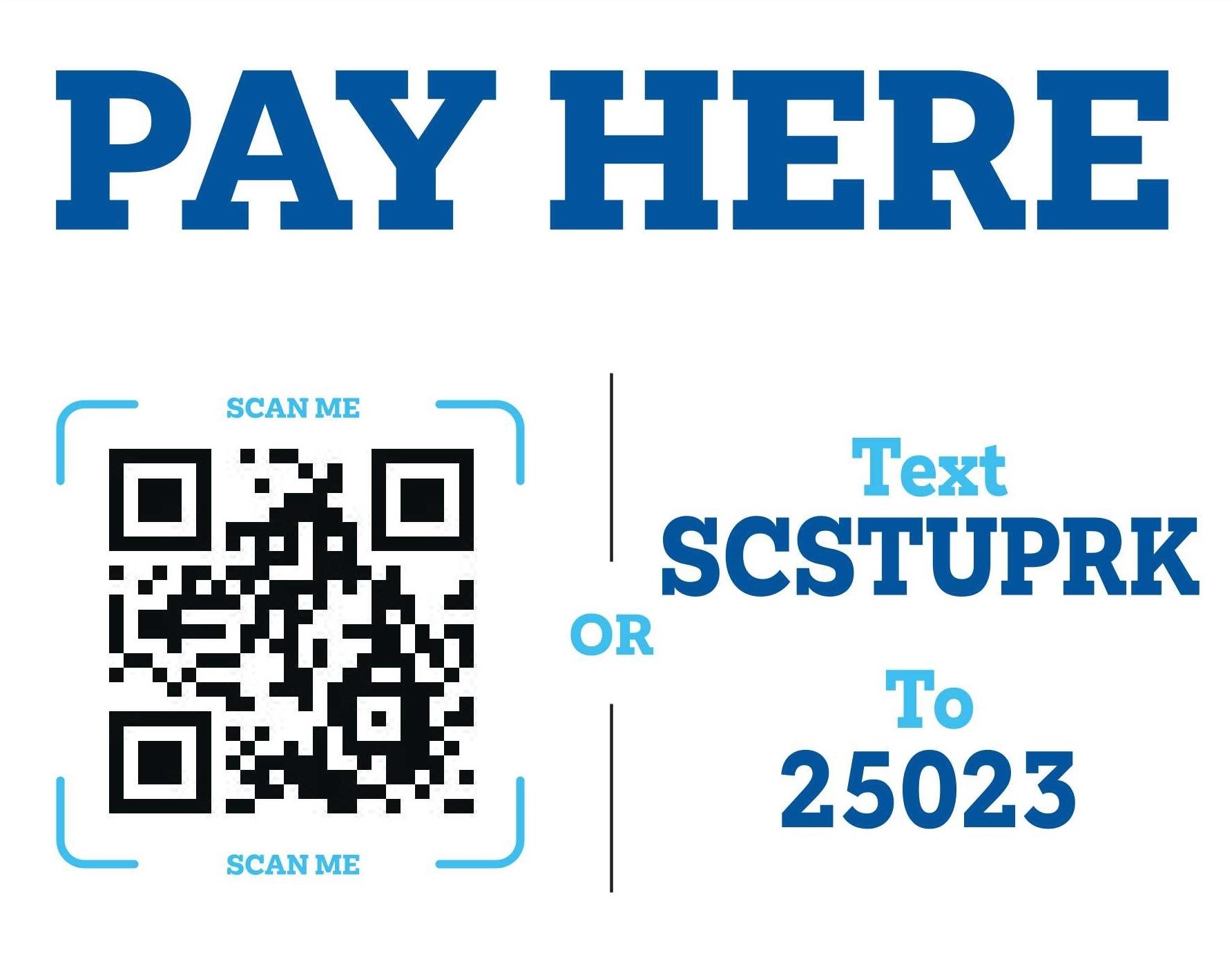
- Text: Text SCSTUPRK to 25023 and follow the instructions. Alternatively, follow this link to the daily parking permit.
- Parking Permit Kiosk (Main Campus Only): Locate a parking kiosk and follow the on-screen instructions. Be sure to have your license plate number ready before approaching the kiosk.
- Payment Options:
- Visa/MasterCard
- $1 and $5 bills (Exact change only – no coins accepted)
- No refunds will be issued for overpayment.
- Payment Options:
Downtown Campuses (CLC & HSUC)
Shasta College does not manage downtown parking. Individuals are responsible for their parking choices.
Options for parking include:
- Public Parking (free)
- Street/Lot parking (paid)
- Parking Garage (paid)
For full information and a map of downtown parking options, please visit the City of Redding’s website about downtown parking.
Shasta College departments or groups and outside organizations may request parking vouchers or validations to accommodate eligible guests, visitors, or event participants. These vouchers provide temporary parking privileges at no charge to the individual either on campus or at the Downtown Parking Garage.
Eligibility
A parking voucher or validation may only be approved for individuals who meet one of the following criteria:
- Conference guests
- Board of Trustees members
- Cabinet guests/VIPs
- Guest lecturers
Note: Your department/organization will be billed for any used parking vouchers/validations.
Approved guests will receive either:
- A coupon code (voucher) for on campus parking, OR
- A validation sticker for the parking garage at the CLC or HSUC locations.
Requests
At the start of each semester, Campus Safety will email departments requesting an estimate of the number of parking vouchers or validations needed, along with information about anticipated guests. However, requests may be submitted at any time throughout the year using the Parking Voucher/Validation Request Form.
Vice Presidents are responsible for:
- Distributing/ approving vouchers within their department.
- Ensuring all guests meet the eligibility criteria outlined above.
Billing Information: Departments will be billed at the end of the semester for all used vouchers/validations. For parking voucher fees, see the Fees section below.
Billing Procedures
Campus Safety will maintain records of all parking vouchers and validations that are requested and redeemed. At the end of May, July, and December, departments and organizations will receive an invoice reflecting the total cost of parking vouchers and/or validations used during that semester.
Departments may request a cost estimate or quote in advance of an event or planned usage. Estimates will be based on the current parking fee structure outlined below.
Fee Structure
| parking location | rate details |
|---|---|
| On-Campus Parking | $2.00 per day, per vehicle |
| Downtown Parking Garage | $1.00 per hour (maximum daily rate of $8.00) |
For additional information, assistance with requesting parking vouchers, or to obtain a parking quote, please contact Campus Safety at (530) 242-7910 or at parking@shastacollege.edu.
Voucher/Validation Redemption
Main & Tehama Campus
Guests who have been pre-approved for free parking at the Main or Tehama Campuses can obtain their permit by entering a coupon code (voucher) at a parking kiosk:
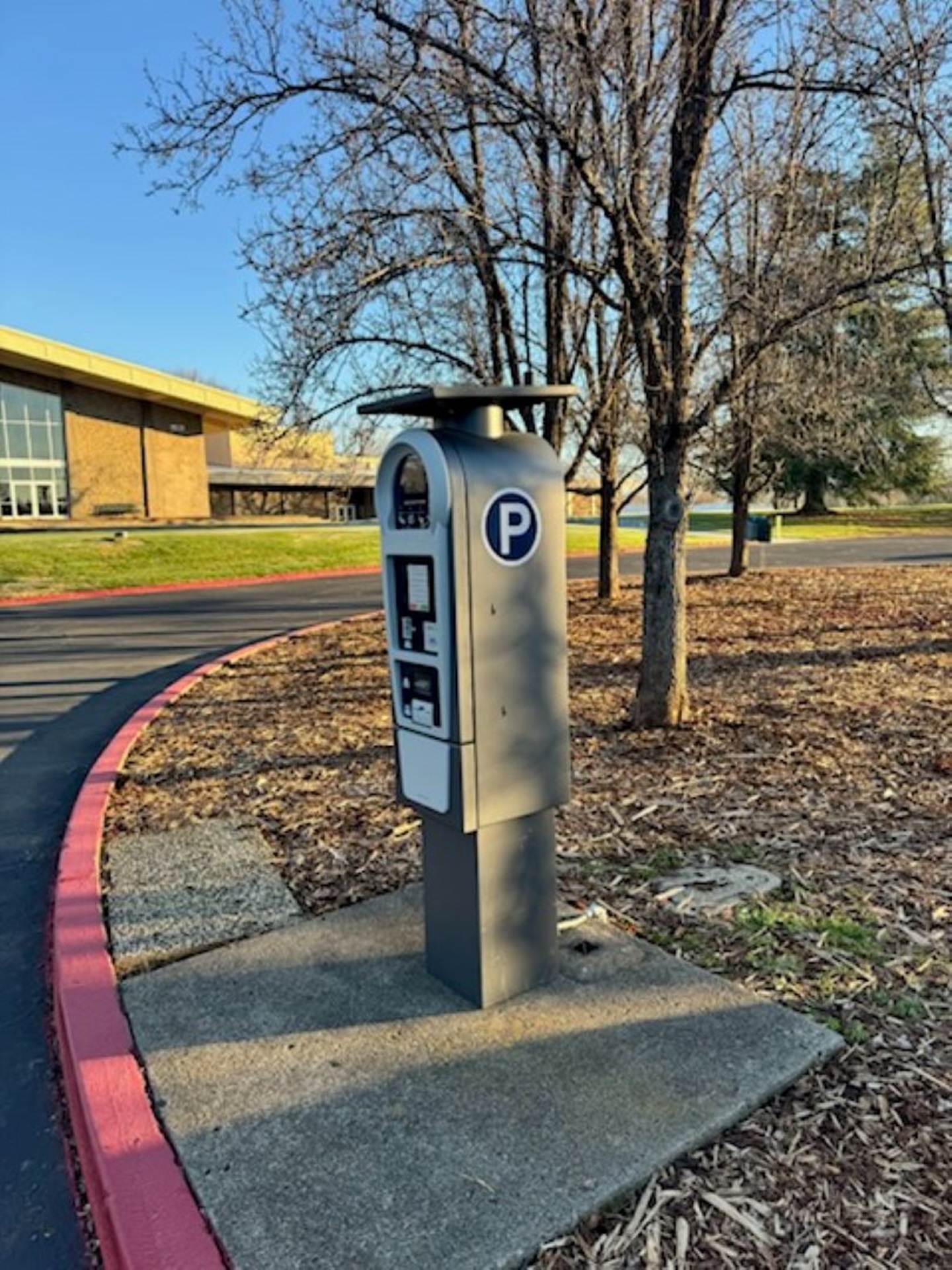
- Locate Parking Kiosk Pay Station
- After parking, find the nearest parking kiosk.
- Have Your License Plate Number Ready
- You will need your license plate number to use the kiosk.
- Activate the Kiosk
- Press any button to light up the screen and begin.
- Follow On-Screen Instructions
- Press OK to proceed.
- Enter your license plate number, then press OK.
- Select Permit Duration
- Enter “1” for the number of days needed for parking, then press OK.
- Apply Your Coupon Code
- Check your permit details.
- To apply a coupon code, press C, enter the code, and press OK.
- Print Your Receipt
- Once accepted, your receipt will print as confirmation.
CLC & HSUC
Guests who have been pre-approved for free parking downtown can park for free by having their parking garage ticket validated at the end of their visit.
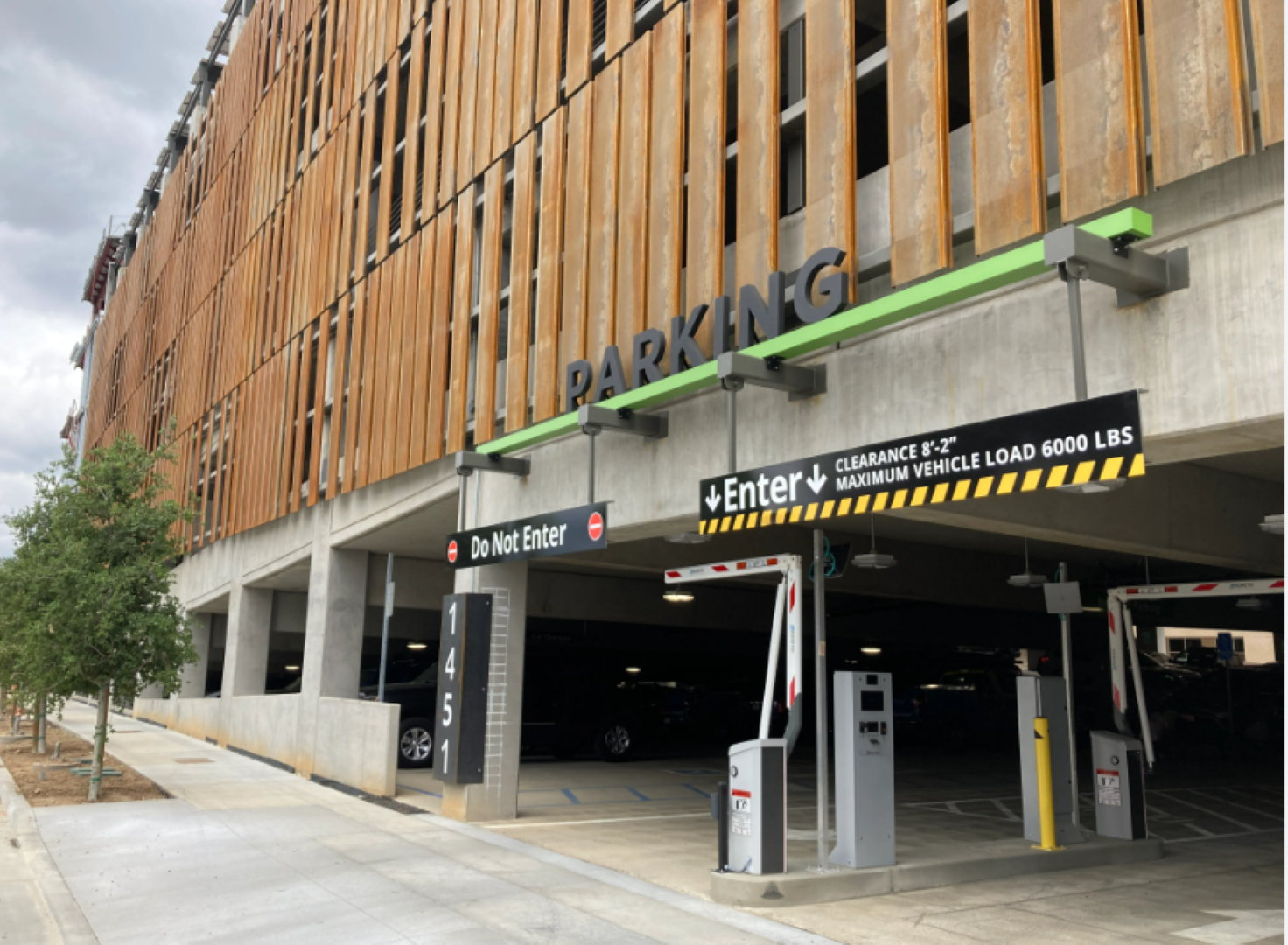
- Upon arrival, take a parking ticket from the dispenser at the entrance of the garage.
- After your visit, request a validation sticker from Campus Safety at the front desk rotunda in the Health Science Building or at the first-floor entrance in the Community Learning Center (CLC). The sticker will correspond to the hours spent on campus.
- Affix the validation sticker to the back of your parking ticket.
- When exiting the garage:
- First, scan your parking ticket.
- Then, scan the validation sticker to complete the process.
Shasta College retirees automatically qualify for a free lifetime parking permit for on campus parking under Emeritus Status. The following details outline the process and requirements:
- Eligibility: Retirees qualify for a free lifetime parking permit upon retirement.
- Registration: After retirement, retirees will receive an email with a link to a registration form.
- The registration form includes fields for contact information and vehicle details.
- Vehicle Registration: Retirees may register up to two vehicles for the lifetime parking permit.
- Vehicle Updates: Any changes to registered vehicles (e.g., new vehicle, license plate change) must be updated with the Campus Safety Office.
Important Reminder: Keeping vehicle information current is essential to ensure accurate records.
For questions or assistance, contact Shasta College Campus Safety at (530) 242-7910.
All vendors conducting business on campus must obtain a parking permit. To do so, visit the Campus Safety Office, located in the 6500 Building on the Main Campus.
Permit Information
- Annual Requirement: Vendors must apply for a parking permit each year.
- Validity Period: Annual permits are valid from July 1 through June 30 of the following year.
- Application Process: Permits can be obtained in person at the Campus Safety Office. A business card and vehicle information must be provided.
For questions or assistance, contact Shasta College Campus Safety at (530) 242-7910.
Questions?
Need help with permits, validations, or guest parking?
Campus Safety: (530) 242-7910
Email: parking@shastacollege.edu